VirtualBox に Debia8 を入れる の履歴(No.1)
更新- 履歴一覧
- 差分 を表示
- 現在との差分 を表示
- ソース を表示
- 電気回路/z-turn/VirtualBox に Debia8 を入れる へ行く。
- 1
VirtualBox に Debian8 を新規インストール†
z-turn での開発に Linux 環境が必要だったので、64bit Windows 10 上の Oracle VM VirtualBox に 32bit の Debian8 (Jessie) をインストールします。
Zynq 用の arm バイナリをコンパイルするのに 32 ビットライブラリが必要という情報があるようで、 たぶんコンパイル環境も 32 ビットのほうが都合が良いのかと思ったためです。
VirtualBox の作成†
VirtualBox マネージャの [新規] から、Debian8new という 32bit Debian の VM を作成します。
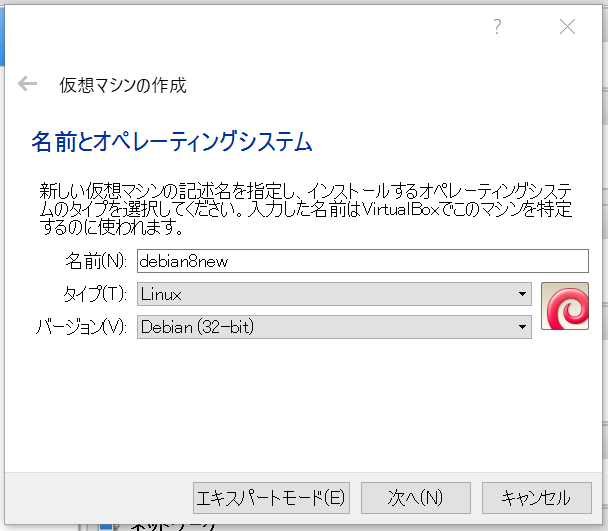
- メモリ4G
- VDI形式の仮想ハードディスク可変型20G
としました。
Debian8 インストールディスクのダウンロード&マウント†
https://www.debian.org/CD/netinst/
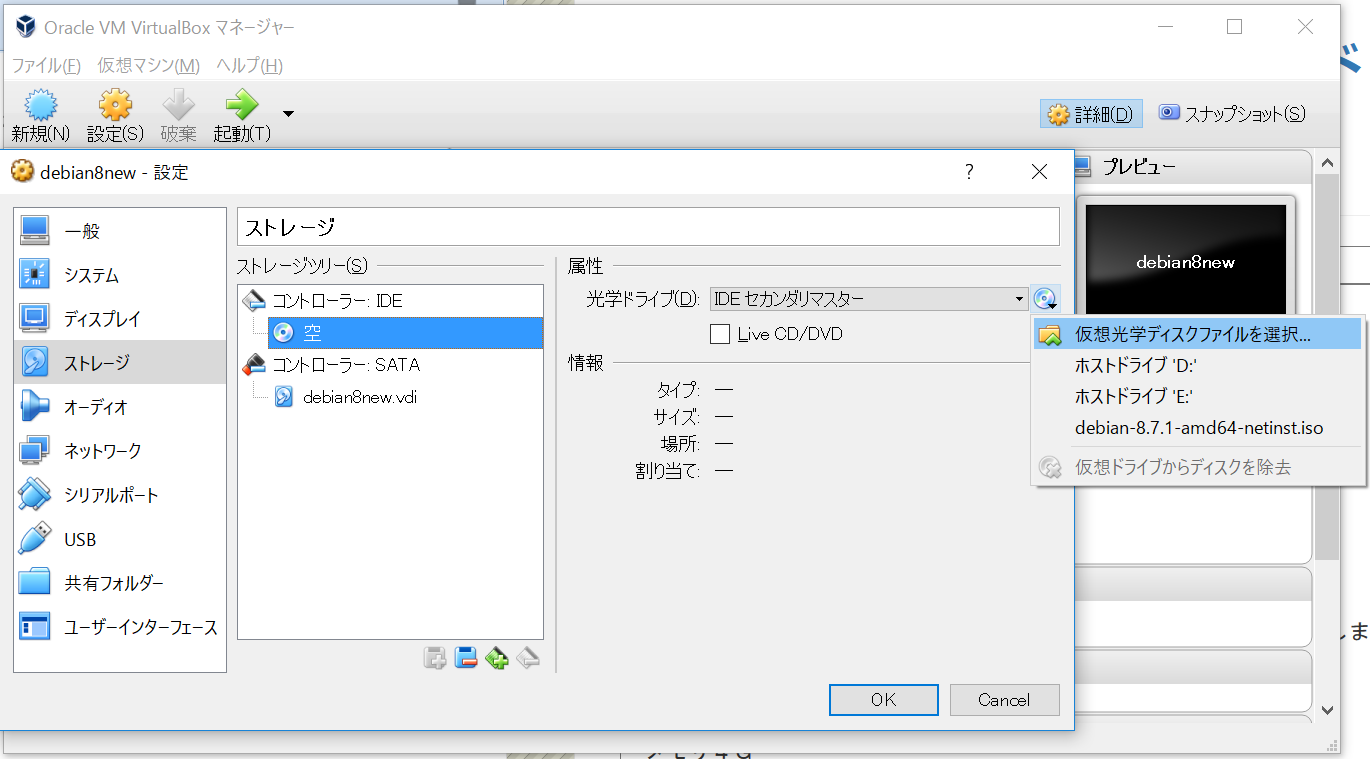
の i386 というリンクから、debian-8.7.1-i386-netinst.iso をダウンロード。
VirtualBox "Debian8new" を右クリックし、[設定] から [ストレージ] の [光学ディスクファイルを選択...] で上記 .iso ファイルをマウント
ネットワークの設定†
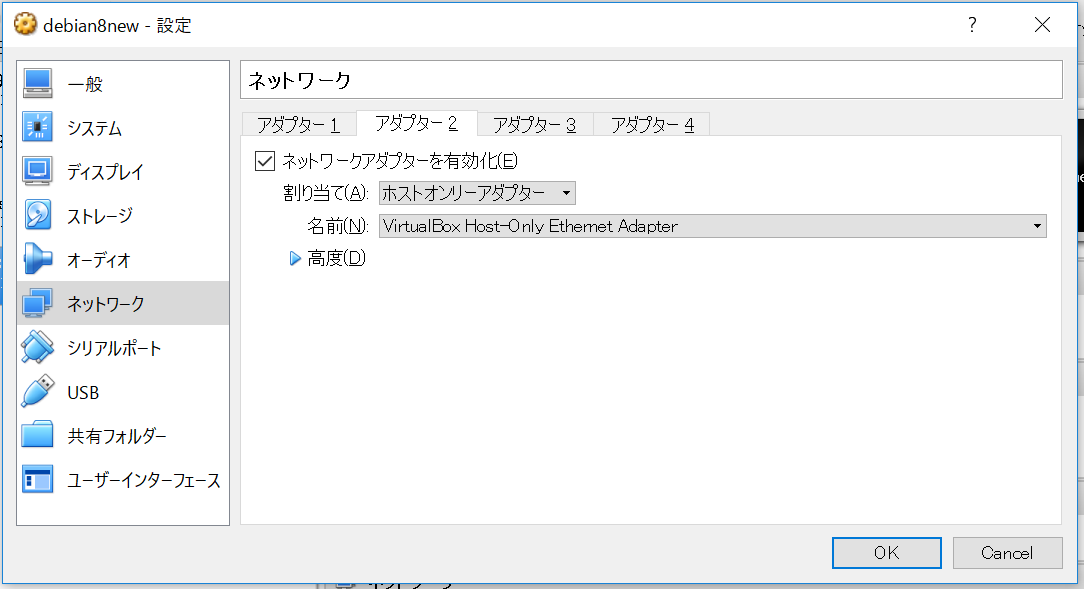
ホスト PC の Windows10 と、VirtualBox 内の Debian8 との間で通信を可能にするため ネットワークアダプタを追加します。
起動&インストール†
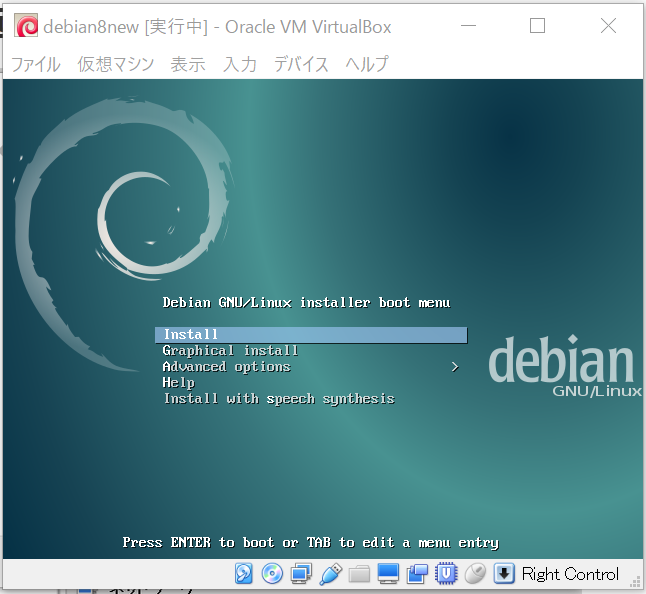
- [Install]
- Select Language => [Japanese]
- 場所の選択 => [日本]
- キーボードの設定 => [日本語]
- ネットワークの設定
- プライマリアダプタ => [eth0] (NATアダプタ)
- ホスト名 => [debian8new]
- ドメイン名 => []
- root のパスワード => [********]
- 新しいユーザー
- 本名 => [Osamu Takeuchi]
- ユーザ名 => [osamu]
- パスワード => [********]
- パーティショニング => [ディスク全体を使う] - [return] x 3 - [はい]
- アーカイブミラー => [日本]-[ftp.tsukuba.wide.ad.jp]-[]
- パッケージ利用調査に参加しますか => [はい]
- ソフトウェアの選択 => [SSHサーバ + 標準システムユーティリティ]
- GRUB ブートローダのインストール => [はい]-[/dev/sda]
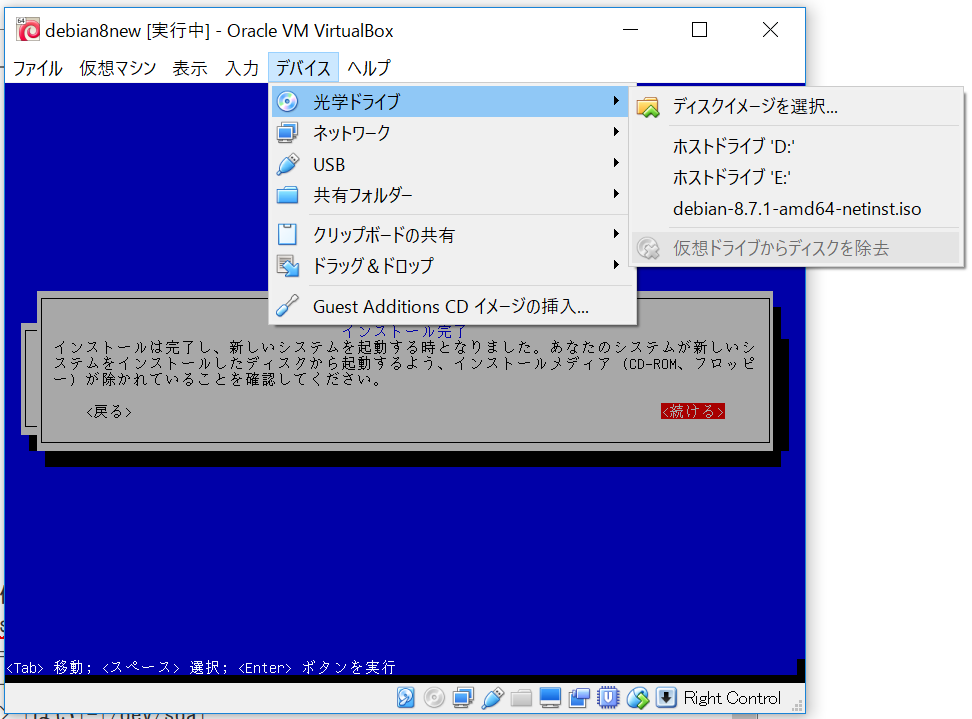
- インストールの完了
vivado は Windows 上で使うつもりで、デスクトップ環境は入れませんでした。
インストールCDがアンマウントされていることを確認して続行すると再起動されます。
ログイン&必須パッケージのインストール†
etckeeper, sudo, jed の導入†
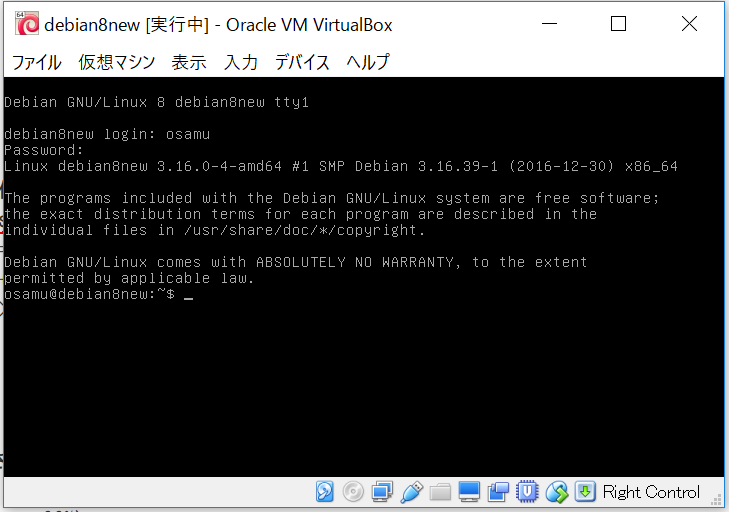
自動再起動後、コンソールからログインできることを確認し、
- /etc フォルダのバージョン管理をするため etckeeper を入れます。
- 設定ファイルの編集用に sudo および jed エディタを入れます。
- sudo グループに自分を追加します
LANG:console
$ export LANG=C
$ su
 Password: (rootパスワードを入力)
# export LANG=C
# apt install etckeeper
 The following extra packages will be installed:
   git git-man liberror-perl rsync
 Suggested packages:
   sudo git-daemon-run git-daemon-sysvinit git-doc git-el git-email git-gui
   gitk gitweb git-arch git-cvs git-mediawiki git-svn
 The following NEW packages will be installed:
   etckeeper git git-man liberror-perl rsync
 0 upgraded, 5 newly installed, 0 to remove and 0 not upgraded.
 Need to get 5065 kB of archives.
 After this operation, 26.7 MB of additional disk space will be used.
 Do you want to continue? [Y/n]
 ...
# apt install sudo jed
 The following extra packages will be installed:
   jed-common libonig2 libslang2-modules slsh
 Suggested packages:
   gpm
 The following NEW packages will be installed:
   jed jed-common libonig2 libslang2-modules slsh sudo
 0 upgraded, 6 newly installed, 0 to remove and 0 not upgraded.
 Need to get 1892 kB of archives.
 After this operation, 5984 kB of additional disk space will be used.
 Do you want to continue? [Y/n]
 ...
# adduser osamu sudo
 Adding user `osamu' to group `sudo' ...
 Adding user osamu to group sudo
 Done
# exit
$ sudo echo ok

 We trust you have received the usual lecture from the local System
 Administrator. It usually boils down to these three things:

     #1) Respect the privacy of others.
     #2) Think before you type.
     #3) With great power comes great responsibility.

 [sudo] password for osamu:
 osamu is not in the sudoers file.  This incident will be reported.
$ groups
 osamu cdrom floppy audio dip video plugdev netdev bluetooth
$ groups osamu
 osamu: osamu cdrom floppy sudo audio dip video plugdev netdev bluetooth
$ exit
一旦ログインしなおさないと、グループ設定は反映されないみたいだったので、 exit してログインしなおしました。
sshd on eth1†
以下、再ログイン後、
LANG:console
$ export LANG=C
$ groups
 osamu cdrom floppy sudo audio dip video plugdev netdev bluetooth
$ sudo ifconfig
 [sudo] password for osamu:
 eth0     ...
          ...

 lo       ...
          ...

$ sudo jed /etc/network/interfaces
 + allow-hotplug eth1
 + iface eth1_inet dhcp
$ sudo service networking restart
$ sudo service networking restart  # なぜか2回必要?
$ sudo ifconfig eth1
 eth1     ...
          inet addr:192.168.56.103
          ...
これでホスト PC から 192.168.56.103 というアドレスへ ssh 接続が可能になった
以下、PuTTY で ssh 接続して手順を続行します。